Get Invite Link
tutorial showing how to get invite link
What you'll need
- Internet Connection.
- Pre-registerd email on Infodrop.
Steps
- Visit the portal web app through the following link https://portal.infodrop.om, You should see the below Sign In screen.
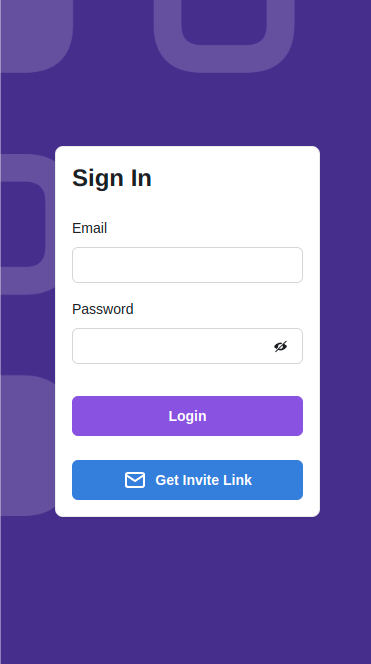
- Click on
Get Invite Linkbutton. Upon clicking the 'Get Invite Link' button, the screen shown below will appear.

- To submit your email, enter it into the designated field and then click the
submitbutton. If the submission is successful, a notification will appear at the top center of the screen to confirm.
Next Step
Check you email for an invite from noreplay@infodrop.om, it may take couple of minutes to arrive to your inbox. Once you get the invite follow Create New Password Tutorial